
(As of October 2025)
It seems the documentation does not currently exist, or is very limited.
ChatGPT wasn’t able to provide good information on how to set up DNS over HTTPS on UniFi OS.
This example is using AdGuard DNS from https://adguard-dns.io/
The Problem:
The Server Name Field does not accept periods.
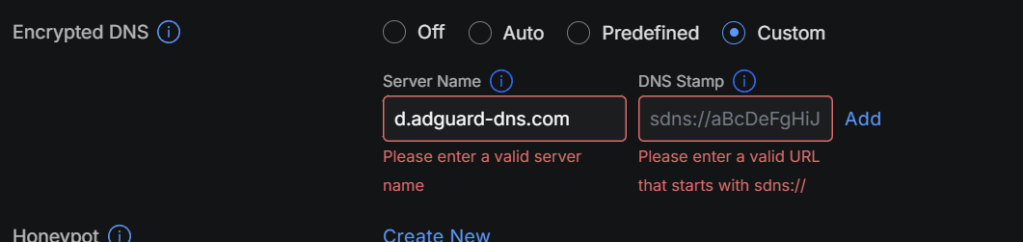
The Workaround:
Choose Predefined first, then search for the DNS provider (in this case AdGuard DNS over HTTPS):
Take note of the name – there are no periods!
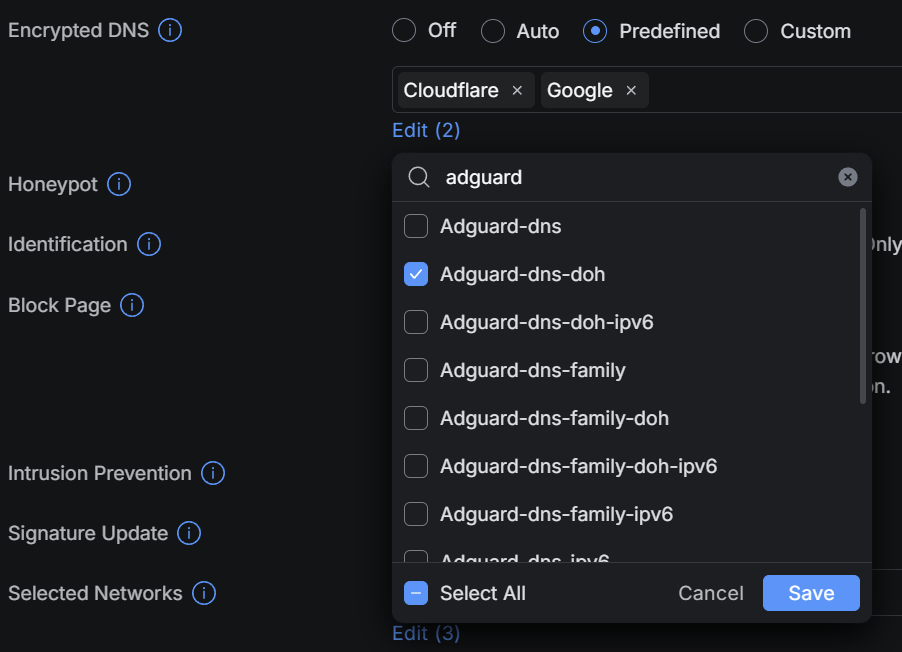
In this case, going back to Custom, enter “Adguard-dns-doh” in the Server Name Field:

Now for the DNS Stamp:
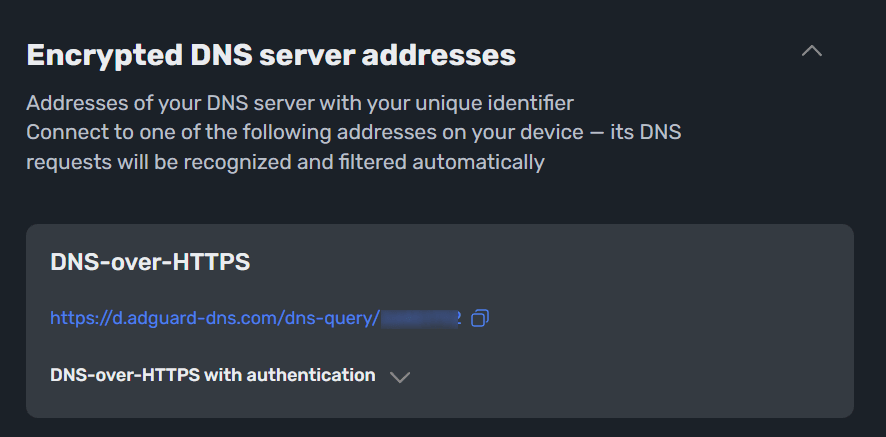
Log into AdGuard DNS, go to the device settings, then expand the Encrypted DNS server addresses:
The blurred part at the end of the URL is the user ID needed for the next step.
Open a new browser tab and go to: https://dnscrypt.info/stamps/
Choose DNS-over-HTTPS (DoH) as the protocol in the dropdown box.
Enter the Host name you get from Adguard DNS (d.adguard-dns.com).
Enter your user ID from AdGuard DNS after /dns-query/
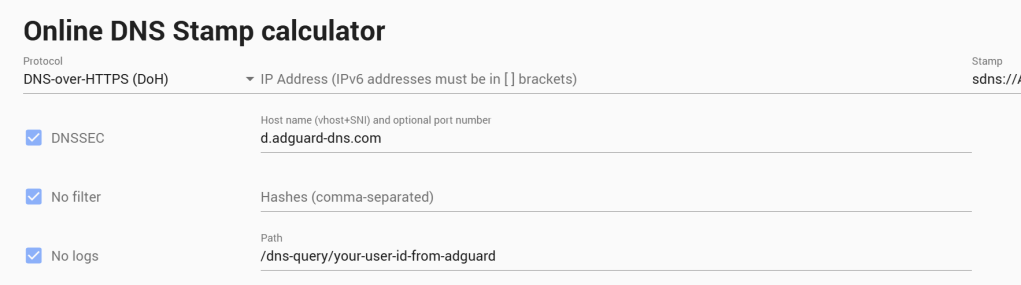
Now copy the Stamp from the calculator and paste it into the DNS Stamp field in the UniFi settings:


Click Add, and you’re done!
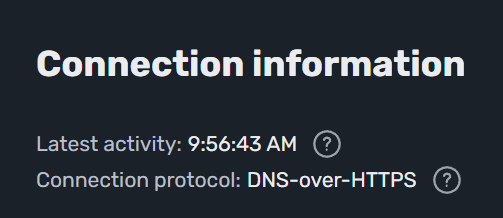
You can refresh the page of AdGuard DNS, and under the Device setting, you should now see the DNS-over-HTTPS under the Connection Information:
🥳
 Avail Networks