
On a video conference call and the laptop fans are too loud?
There might be a quick and easy fix for that.
Check if Windows is in “Performance Mode”, meaning it will be faster, but those fans will be making more noise.
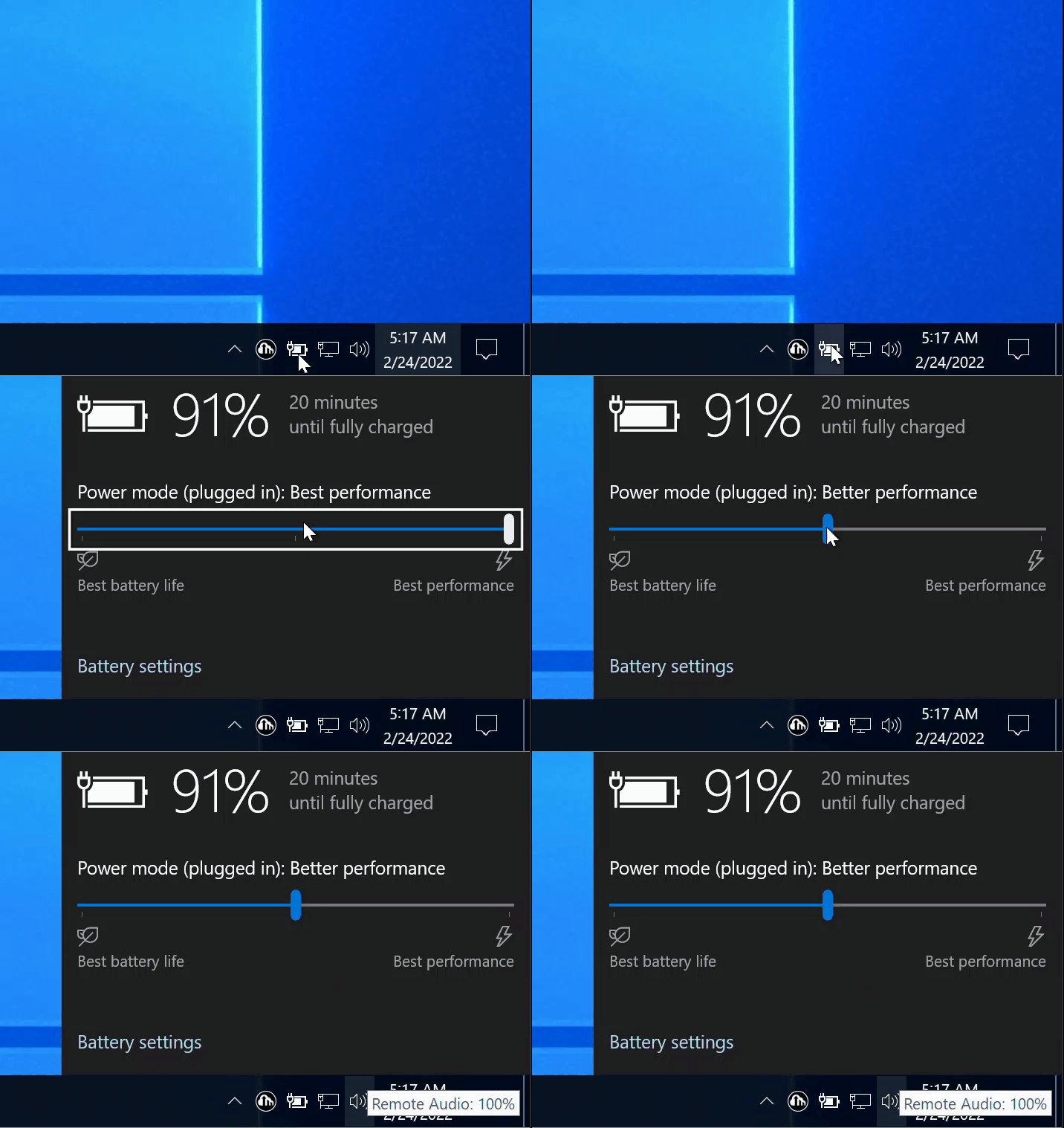
If you are using Windows 10
- Try a “Balanced” power mode via the Power icon in the taskbar:
If you are using Windows 11
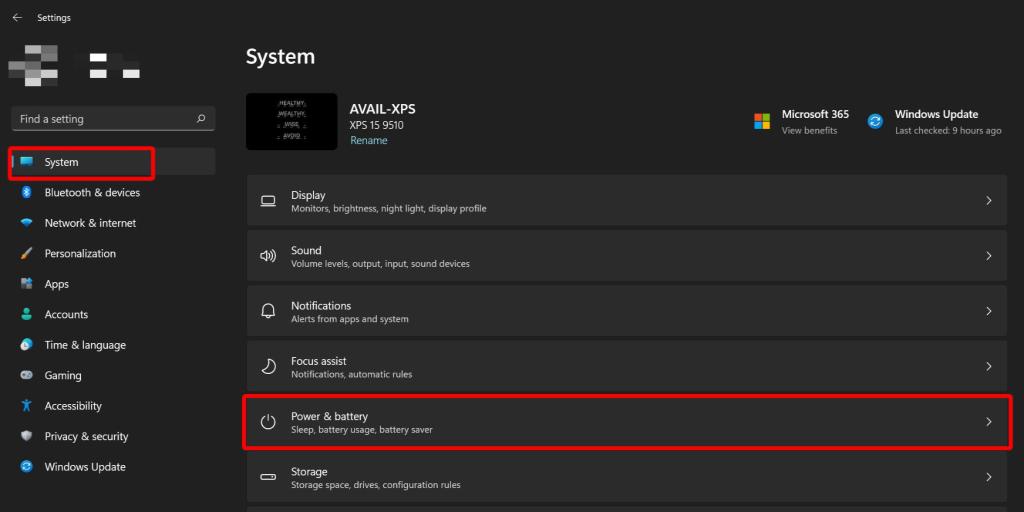
- Open Settings.
- Click “System” on the left side
- Then click on “Power & battery”
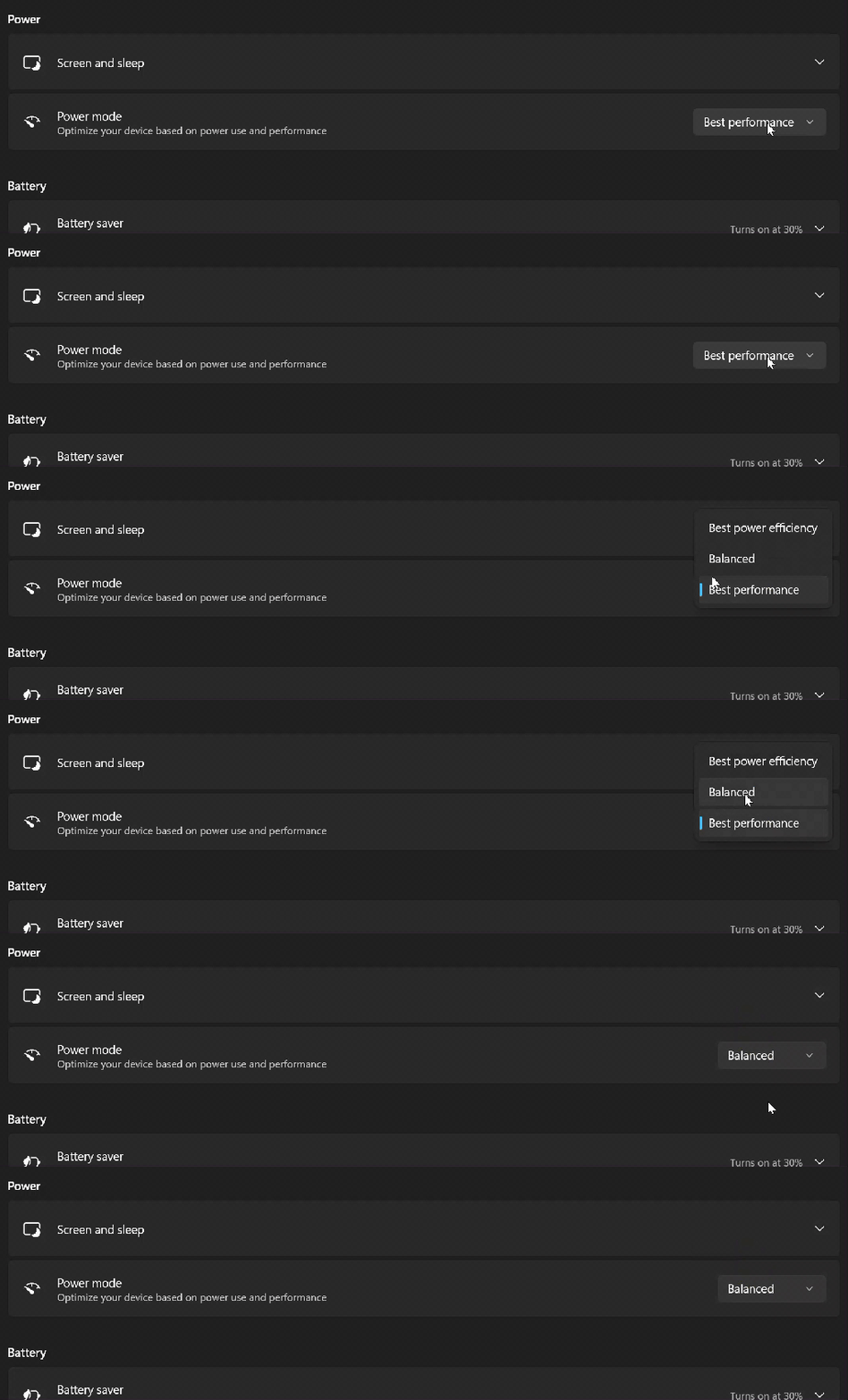
- Now you can change the Power mode to “Balanced” via the drop-down menu.
Hopefully this helps!
Thanks for reading.
 Avail Networks